
Alternatives for Disqus
Disqus is one of the best services in terms of both administration capabilities for website owners and convenience for commentators. However, it isn’t free anymore. Even the “Free” plan isn’t truly free because instead of a payment for the service, Disqus displays ads in the comments area on your site. The service is free only for non-commercial sites. If you monetise your project in any way, the Disqus administrators will, sooner or later, activate ads in the comments on your website. As a result, you will see a picture similar to the one below:
- The built-in WordPress comment system;
- wpDiscuz;
- Cackle Comments;
- Epoch;
- Jetpack Comments.
Is It Possible to Use Disqus for Free?
It is possible to use Disqus for free if you run a non-commercial website. For projects with any type of monetisation, there are three options:- Purchase a paid plan;
- Use the free version with ads;
- Delete the Disqus ads unofficially by embedding some jQuery code.
| Plus | Pro | |
| Page Views per Day | Up to 50,000 | Up to 150,000 |
| Price per Month | $10 | $99 |
- Additional tools for moderation;
- Single sign-on;
- Analytics;
- Subscription for comments updates.
(function($){
setInterval(() => {
$.each($('iframe'), (arr,x) => {
let src = $(x).attr('src');
if (src && src.match(/(ads-iframe)|(disqusads)/gi)) {
$(x).remove();
}
});
}, 300);
})(jQuery);
The WordPress Built-in Commenting System
WordPress has an integrated commenting system.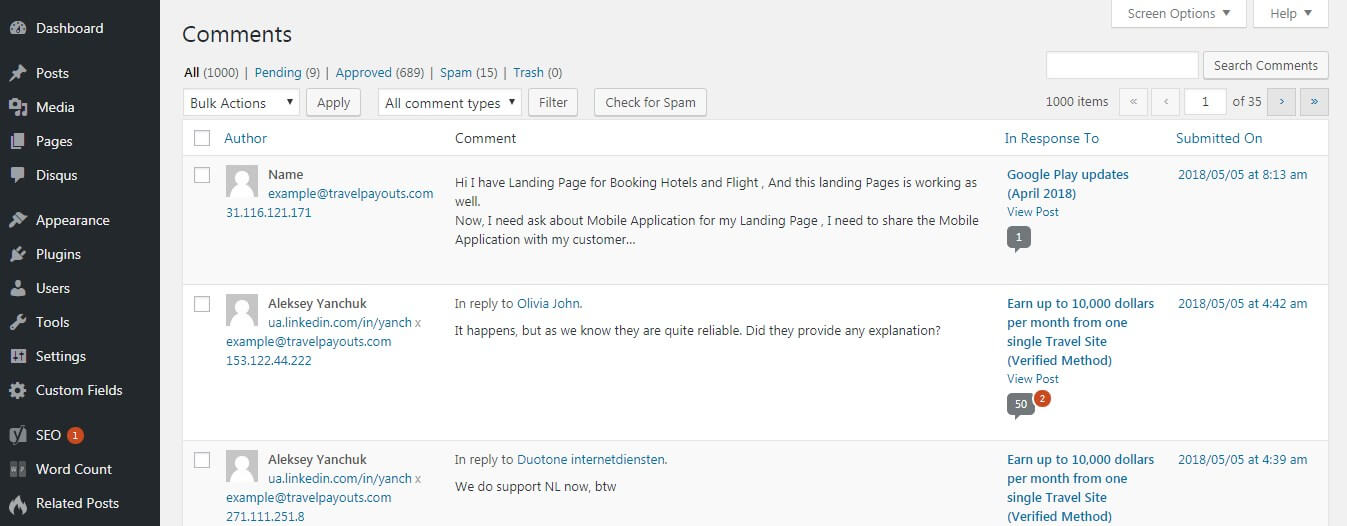
- It’s absolutely free;
- No additional installation steps are required;
- It keeps all the data you have on your server;
- It does not contain any advertising.
- Tuning and manual improvements are required;
- To stop spam comments, you need to install additional extensions;
- Moderation is possible only inside the WordPress panel;
- Your readers need to enter their personal data because there is no support for a “single account”;
- It causes a high load on the server.
- Akismet: protects you from spam comments;
- Lazy Load for Comments: cares for the server load.
Wpdiscuz: A Free Alternative to Disqus
wpDiscuz is a commenting plugin with the highest rating—it currently has 4.8 out of 5 stars in the official extension library. It also works with WooCommerce—look for WooDiscuz.
- 100% free and no adverts;
- Supports all current versions of WordPress;
- Integrates with other plugins and extensions;
- Fully customizable;
- Gives the option to deploy new comments (AJAX technology) instead of pagination;
- Highlights new comments for readers who returned to the page;
- Offers comment rating, direct links, share buttons, Gravatar support, and more.
- For interaction with social networks, try WordPress Social Login, Social Login, Super Socializer, Social Connect, Social Login, and others;
- To protect against spam comments, try Akismet, WordPress Zero Spam, WPBruiser, and others.
Cackle Comments: A Paid Analogue
Cackle is one of Disqus’s main competitors. You can download Cackle for WordPress here.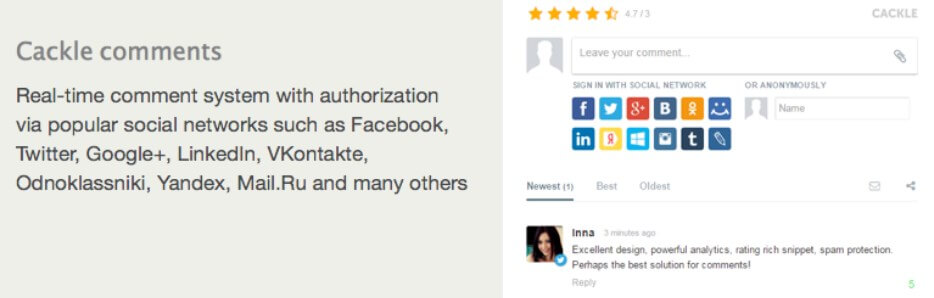
- Joomla;
- Bitrix;
- DLE;
- Drupal;
- And more.
- Analytics ($7);
- Priority support ($3);
- Single Sign-On ($13);
- White Label ($10).
Epoch: A Local Disqus Alternative
Epoch was one of the best alternatives for Disqus, but unfortunately, developers stopped work on this project two years ago. The plugin is still available on the official WordPress website, and you can install it on your website. Just be careful, Epoch may have compatibility issues with new CMS versions.Jetpack Comments
Jetpack Comments is the least standard solution that you can find. It isn’t a simple comment plugin but a hosting platform for WordPress website with 100+ templates and its own comments system. Jetpack Comments is paid solution; however, it has also a free plan, which includes the following:- More than 100 design options for your WordPress website
- Statistics
- Related posts display
- Brute force attack protection
What to Choose
Among the paid alternatives but with a more affordable price than that of Disqus, pay attention to Cackle. If you do not need enhanced analytics and do not care about the plugin’s logo or link being on your website, then wpDiscuz is one of the best free alternatives. In upcoming versions, wpDiscuz developers promise to add authorisation through social networks without any extra extensions. Moreover, the logo and link can now be hidden as well just by digging into the extension’s code.
You may also be interested in